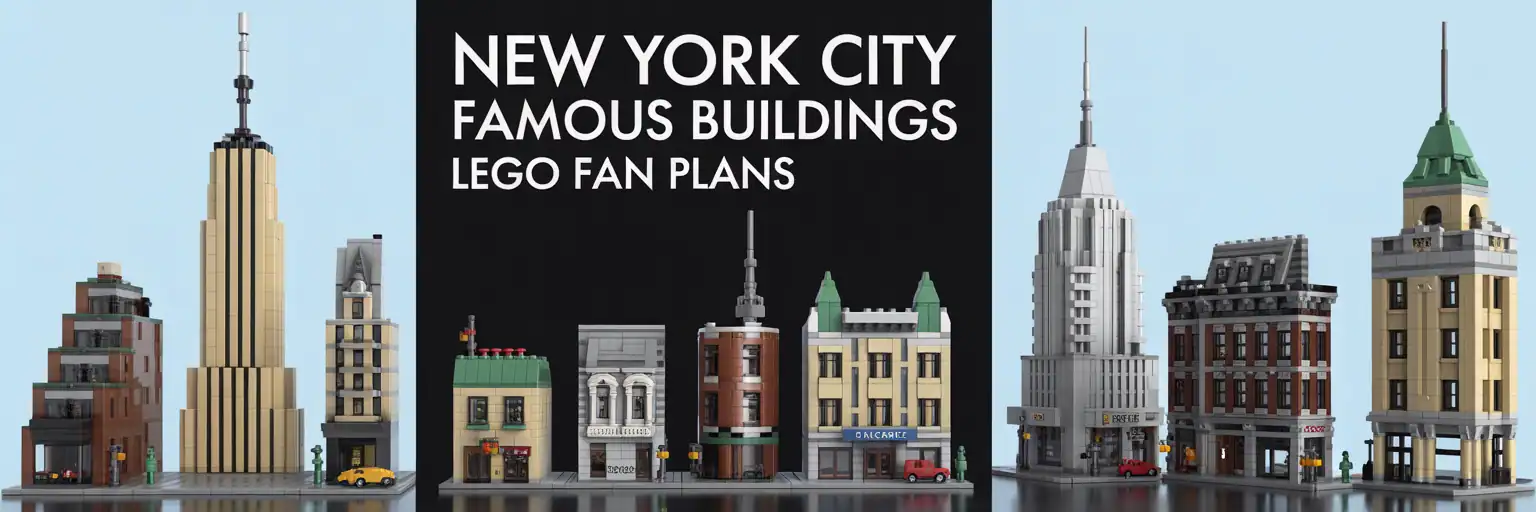
 Free LEGO-Style Landmark Generator
Famous NYC Landmark LEGO-Style Build Prompt Generator
Create a stronger prompt for New York landmark models, skyline displays, bridges, brownstones, subway scenes, and famous architecture in toy-brick style.
AI Generator Master Pack
Use the $7 pack to build better prompts, cleaner generator pages, stronger plan ideas, and better LEGO-style builder workflows.
Open the Master Pack
Build Controls
Pick your landmark, scale, detail style, color plan, and output type. Then press Generate. The prompt appears on the right.
Copy-Ready Outputs
Level 1: Quick Prompt
Level 2: Detailed Build Prompt
Level 3: Parts Strategy Prompt
Level 4: Plan Pack Listing Prompt
Support the project
These free tools help builders turn rough ideas into clearer prompts, stronger plan packs, and better creative pages.
Get Full Build PackHow to Make Better LEGO-Style New York Landmark Prompts
A strong New York City landmark LEGO-style prompt needs more than a famous name. It needs scale, structure, color, recognizable details, and a realistic parts direction.
Why specific landmark prompts work better
Many builders start with a broad idea like “make a New York LEGO building.” That is too loose. A better prompt names the landmark, locks the viewing angle, and explains what makes the scene recognizable.
For example, an Empire State Building prompt should mention stepped setbacks, vertical windows, and the tower crown. A Brooklyn Bridge prompt should include stone towers, cable rhythm, a roadway deck, and a stable base.
This generator builds those details into the output. Therefore, the prompt is easier to use for AI planning, MOC brainstorming, display model ideas, and LEGO-style architecture concepts.
Choose scale before adding small details
Scale controls the whole model. A micro display model needs bold shapes and fewer tiny decorations. However, a 32×32 architecture-style base can support facade texture, street props, and a stronger story.
Long-tail searches like NYC landmark LEGO-style build prompt, New York architecture model prompt generator, and toy brick skyline display idea usually need this step. The page works better when the prompt tells the builder how large the model should feel.
Use micro scale for a simple shelf display. Use a compact base for one landmark. Use a modular facade slice when the goal is a street scene, product plan, or deeper display concept.
Use architecture cues people recognize quickly
New York architecture has strong visual language. Art Deco towers use vertical lines, stepped crowns, and repeating windows. Beaux-Arts buildings use arches, columns, grand stairs, clocks, and stone texture.
Brownstone rows need stoops, railings, tree pits, and warm masonry colors. Bridge scenes need towers, cables, deck supports, water, and road context.
These details help both builders and AI tools. As a result, the final output has a better chance of looking like the landmark instead of a generic city block.
Add a practical parts strategy
A useful LEGO-style landmark prompt should avoid impossible connections. Instead, it should ask for common plates, bricks, tiles, slopes, brackets, jumper plates, clips, bars, and Technic support where needed.
For tall towers, ask for an internal spine. For facades, ask for SNOT panels, grille tiles, and jumper offsets. For bridge scenes, ask for legal bar-and-clip cable hints without stressed parts.
This makes the idea closer to a real build plan. It also helps visitors searching for buildable NYC LEGO landmark ideas, toy brick architecture prompt tools, and New York skyline brick model plans.
How to use the generated output
Start with Level 1 when you need a quick concept. Use Level 2 when you want a fuller build prompt with modules, stability notes, and visual priorities.
Use Level 3 when parts strategy matters. This is better for BrickLink research, Studio drafts, and more serious MOC planning.
Use Level 4 when you want to turn the idea into a plan pack listing, builder product page, or downloadable prompt pack description.