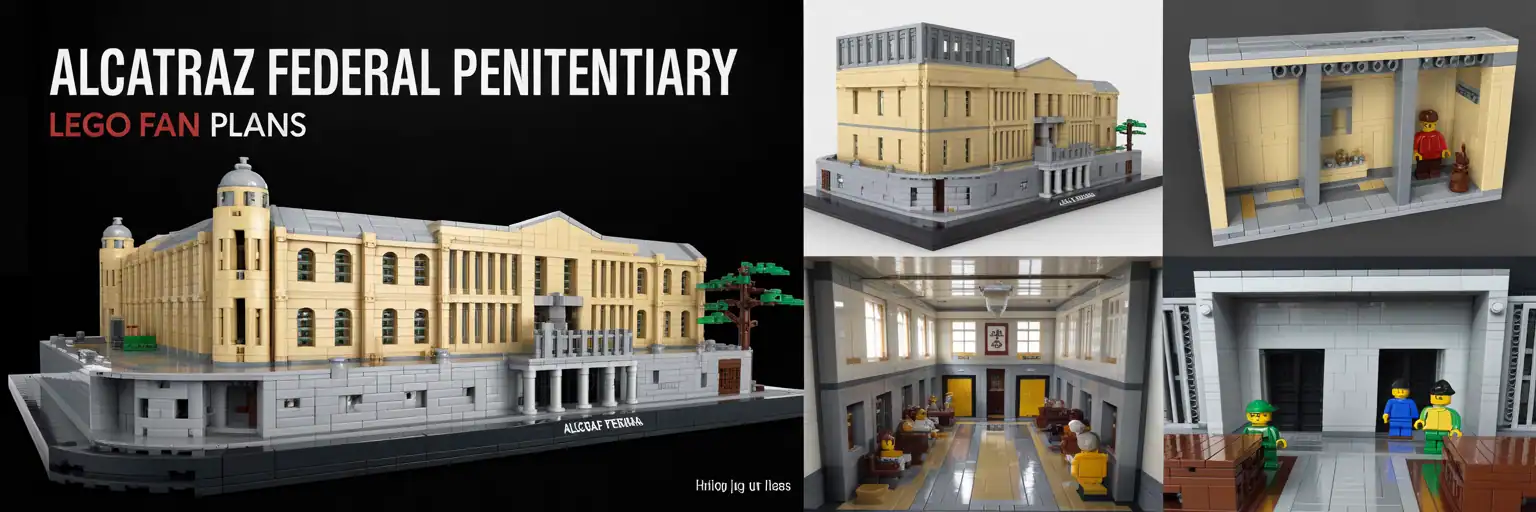
Alcatraz Federal Penitentiary
Create a detailed LEGO-style Alcatraz island prison build prompt with cell blocks, watch towers, rocky terrain, modular access, display features, and BrickLink-ready planning notes.
Level 1 — Snapshot Prompt
Level 2 — Builder Brief
Level 3 — Detailed Build Spec
Level 4 — Product Pack + BOM Strategy
Save this tool — you’ll use it again
Bookmark this Alcatraz LEGO build generator before you start testing layouts, terrain sizes, cell block modules, and BrickLink parts lists.
Support the project
These free build generators take time to design, test, and improve. Your support helps keep more LEGO fan tools free and funds future historic architecture builds.
Alcatraz LEGO Build Generator for Historic Island Prison Dioramas
This Alcatraz Federal Penitentiary LEGO build generator helps fans plan a dramatic island prison model before they start collecting bricks. It creates structured prompts for a rocky island base, prison cell blocks, watch towers, dock areas, and interior storytelling details.
That makes it useful for builders who want more than a simple gray building. Instead, the tool guides a complete historic LEGO architecture diorama with terrain, scale choices, modular access, and display-ready detail.
Why Alcatraz Works So Well as a LEGO Island Model
Alcatraz is instantly recognizable because the prison sits above the water on a rugged island. Therefore, a good LEGO version needs more than walls. It needs the silhouette of the cellhouse, the feeling of cliffs, and a clear shoreline.
The generator supports those choices by letting you select rocky terrain, tiled water, modular island sections, or a museum-style plinth. As a result, the prompt can fit a desk display, a larger table build, or a serious showcase model.
What the Generator Produces
The generator produces four levels of copy-ready output. Level 1 gives a fast snapshot prompt. Level 2 expands the build brief. Level 3 adds a detailed build specification. Level 4 creates a product-style build pack with BOM strategy, validation notes, and display ideas.
Each output is designed for builders using AI design tools, BrickLink Studio, or a manual LEGO planning workflow. However, the result should still be treated as a draft until the design is rebuilt, checked, and validated in Studio.
Interior Detail for a Better LEGO Prison MOC
A strong Alcatraz LEGO prison model should show the inside story as well as the outside shape. Cell tiers, barred doors, catwalks, stair towers, a mess hall, a kitchen, and admin rooms help the model feel like a complete penitentiary.
The generator lets you choose these interior zones so the final prompt can target a simple display shell or a more advanced modular interior. This helps long-tail searches like LEGO prison cell block build, LEGO penitentiary interior MOC, and Alcatraz LEGO cellhouse diorama.
Terrain, Water, and Shoreline Planning
The island base is one of the most important parts of the model. A flat building on a baseplate will not carry the same visual weight as a rugged prison island surrounded by water.
For that reason, the generator includes rocky shoreline, SNOT edge ideas, tiled water, retaining walls, and modular base options. These settings help the prompt create a stronger LEGO island prison diorama with a clear sense of place.
Buildability, BrickLink Parts, and Studio Validation
The output emphasizes real LEGO-style geometry, common part substitutions, and BrickLink BOM planning. Still, a generated prompt is not the same as a locked Studio file or tested instruction booklet.
Use the generated text as a serious design brief. Then rebuild the model digitally, check collisions, confirm legal clutch connections, and export a final BrickLink Wanted List only after the model is stable.
Best Uses for This Alcatraz LEGO Prompt Tool
This page is ideal for fans who want a historic landmark display, a prison island storytelling build, a Halloween-style fortress scene, a classroom architecture project, or a serious fan-made MOC concept.
It also helps creators draft product listings, image prompts, builder briefs, and step-by-step module plans. Therefore, the generator supports both creative planning and search-friendly content around Alcatraz LEGO building ideas.
Alcatraz LEGO Generator FAQ
Does this generator create official LEGO instructions?
No. It creates fan-made prompt outputs and draft build specifications. Validate the model in BrickLink Studio before calling it build-ready.
Can I use the output for a BrickLink parts list?
Yes, but use it as a BOM strategy first. A final BrickLink Wanted List should come from a checked Studio model.
What scale works best for Alcatraz?
A 64×48 stud showcase format gives enough room for the cellhouse, cliffs, water, dock, and a few interior details.