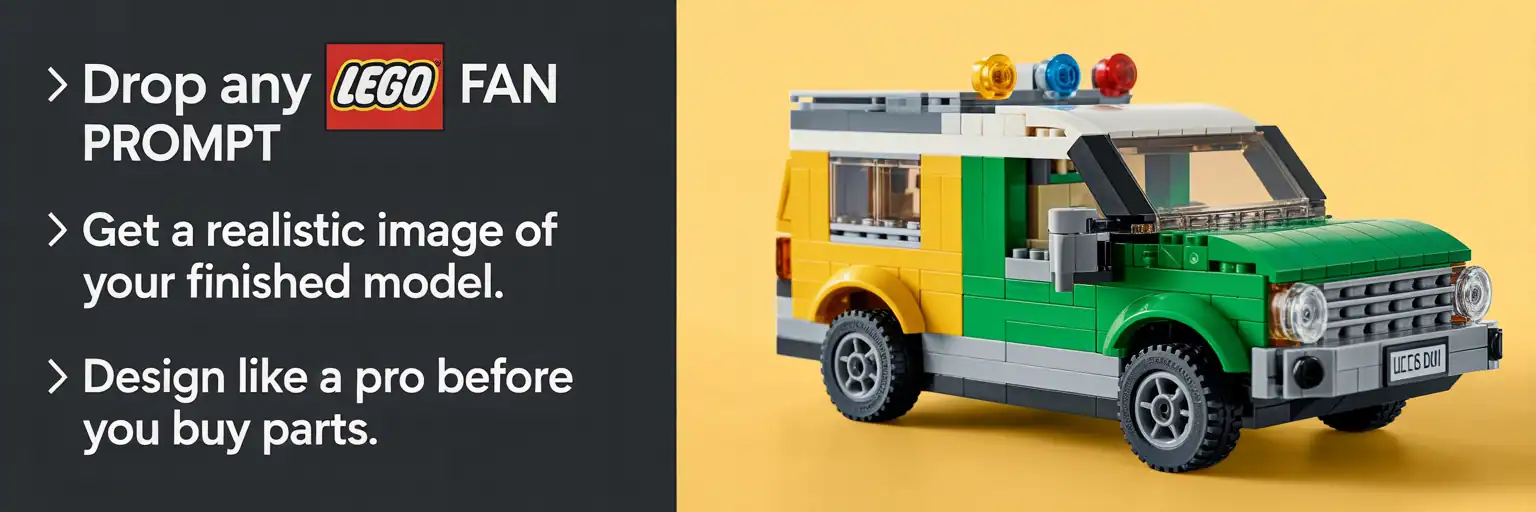
Final Build Mockup Generator for LEGO® MODs — Instantly Visualize Your Model
Paste any LEGO1 Fan Plans prompt into chat and generate a studio-grade, AI-powered LEGO® mockup of your finished model before you order parts or start building. This final build mockup tool mirrors the concept-viz workflow used by professional LEGO kit and MOC designers.
How to Use the LEGO® Final Build Mockup (60-Second Setup)
- Create your build plan with any LEGO1 Generator (Classic, Fiesta, or WTF series).
- Copy the LEGO1 Fan Plans prompt into your AI chat window.
-
Ask the bot:
Show me a detailed final Lego block build image as you would build it using the plans - Save, share, or compare your studio-style LEGO mockup image before buying parts.
SEO tip: include your set theme (city, space, cruiser, tank, diorama), target scale (minifig, microscale, 8-stud-wide), and “use only real LEGO element geometry and production colors” for highly relevant, buildable LEGO mockups.
AI LEGO® Design Mockups — Frequently Asked Questions
Does AI replace real LEGO building?
No. The AI mockup is a visualization step, like a digital light-table or studio render. You still make every design decision. The AI simply generates a fast, photo-quality preview so you can refine form, color, and modules before committing to physical bricks.
Are the LEGO mockup images realistic to build?
The images follow sensible wall thicknesses and geometry. Treat them as a guide to check proportions, color blocking, and module splits first. Then translate what works into a Studio/LDraw file and a real-world LEGO parts list.
Why do professional LEGO designers use digital mockups?
Professionals iterate quickly on shape and color with digital mockups to save time and budget. This tool brings that same studio workflow to MOD builders, helping you test ideas, control cost, and present your LEGO models at a professional level.
How do I keep the mockup limited to real LEGO parts and colors?
Add constraints such as “use only existing LEGO element geometry and production colors” and “no custom or fantasy parts.” These phrases push the AI toward buildable shapes and official-style color palettes.
Will the mockup respect minifig scale or other target scales?
Yes — include your target scale directly in the prompt, such as “minifig scale (1:42)” or “microscale,” and note constraints like “fits a minifig inside” or “8-stud-wide vehicle.” Scale cues help keep all LEGO proportions consistent.
Can I request multiple views or exploded modules for planning?
Absolutely. Ask for “three angles: front 45°, rear 45°, top” or for an “exploded view showing module splits and connection points.” This makes it easier to plan subassemblies and structural hand-offs before you buy parts.
What if the image looks too smooth or not ‘studly’ enough?
Use prompt cues like “visible studs on top surfaces,” “use tiles sparingly,” or “show anti-studs underneath where appropriate.” These instructions increase brick texture realism and make the mockup feel more like an authentic LEGO model.
How do I go from mockup image to parts list and digital file?
Rebuild the preview in BrickLink Studio or another LEGO CAD tool, export the parts list, and verify colors against current availability on marketplaces like BrickLink. Swap rare or expensive elements for more common parts to keep your budget under control.
Final LEGO MOD Build Mockup Generator: AI LEGO Mockups, Studio-Style Preview Images, and Realistic LEGO Model Visualization
A strong LEGO MOD build often starts with an idea, but the smartest builders do not stop at a text plan. They also want a clean visual preview before buying parts, testing colors, or building modules. That is where an AI LEGO mockup generator becomes useful. This page helps builders create a final LEGO build mockup that looks like a polished studio preview, making it easier to evaluate shape, scale, proportions, color blocking, and overall design direction before committing to a physical build.
Many visitors search for terms such as LEGO mockup generator, AI LEGO design tool, LEGO MOD preview image, realistic LEGO model mockup, LEGO MOC visualization, studio-style LEGO render prompt, and final LEGO build image generator. This page is designed to support those searches by combining a practical mockup prompt tool with a long-form SEO article that helps search engines understand the page topic while also giving builders useful guidance.
Why a Final LEGO Mockup Matters Before You Build
One of the biggest challenges in LEGO model design is knowing whether an idea will actually look right once it becomes a finished object. A LEGO build mockup gives you a fast way to preview the final appearance of your model before you invest time and money in parts. Builders can use a mockup to check silhouette, body proportions, module breakdowns, stance, color distribution, and visual balance. This is especially useful for people designing vehicles, spaceships, tanks, mechs, architecture models, and custom display kits.
Search phrases like LEGO pre-build visualization, AI preview for LEGO model, LEGO concept image generator, digital LEGO design mockup, and LEGO build planning image all connect naturally to this workflow. That makes this page relevant not only to hobbyists but also to educators, content creators, and sellers preparing polished visual presentations.
Popular Uses for an AI LEGO Mockup Generator
Builders use a LEGO mockup generator for many different reasons. Some want to test a new concept before rebuilding it in BrickLink Studio. Others want a quick presentation image for a product page, a social media post, a Rebrickable listing, a client pitch, or a classroom example. A studio-style LEGO mockup can also help compare multiple versions of the same design, especially when a builder is deciding between scales, colorways, or module layouts.
This page supports keyword clusters such as LEGO render prompt, LEGO catalog image mockup, AI LEGO MOC preview, LEGO studio lighting image, custom LEGO vehicle mockup, LEGO concept art generator, and LEGO final build preview tool. These phrases help search engines understand that this page is about visualizing LEGO builds, not just describing them.
Best Long-Tail Keywords for This Page
This page naturally supports long-tail phrases such as final LEGO MOD build mockup generator, AI LEGO mockup tool, realistic LEGO model preview image, LEGO MOC mockup generator, studio-style LEGO render prompt, LEGO build visualization tool, LEGO concept preview before ordering parts, final LEGO build image prompt, digital LEGO design preview, and LEGO mockup workflow for MOCs.
Additional keyword clusters include LEGO scale preview image, LEGO color blocking mockup, minifig scale LEGO render, microscale LEGO mockup, 8-stud-wide LEGO vehicle mockup, buildable LEGO image prompt, use only real LEGO geometry prompt, LEGO production color prompt, exploded module LEGO render, and LEGO design presentation image.
How a LEGO Mockup Improves the Design Process
A strong LEGO design workflow usually moves through several stages. First, a builder creates an idea or instructions set. Next comes visual checking. That is where a final LEGO model mockup becomes valuable. Instead of guessing how the finished design will look, the builder can view a realistic preview and make better decisions about shape, scale, and color before starting a full digital or physical rebuild.
This step helps with common design questions. Does the model feel too tall or too short? Are the colors balanced? Is the silhouette clear? Does the front view look stronger than the side profile? Are the modules visually clean and believable? These are exactly the kinds of concerns that drive search terms like LEGO proportions check, LEGO silhouette preview, LEGO color test image, and LEGO module split planning.
Why Real LEGO Geometry and Production Colors Matter
A mockup is most useful when it stays close to what can actually be built. That is why many builders add instructions such as use only real LEGO element geometry and use only production colors to their prompts. These constraints help the final image stay closer to real-world LEGO logic instead of drifting into fantasy shapes that would be difficult or impossible to build.
This also makes the page relevant for high-intent searches like buildable LEGO mockup prompt, real-world LEGO geometry image, official color palette LEGO render, LEGO parts-feasible concept art, and AI LEGO mockup using real parts. Searchers using those phrases are often serious builders, which makes them especially valuable visitors.
Scale, View Angle, and Lighting Keywords That Help Search Visibility
One reason this topic performs well in search is that builders often search with very specific visual goals. They may want an angled front LEGO render, a top-down isometric LEGO mockup, a side profile LEGO preview, or a left three-quarter LEGO build image. They may also care about presentation style, looking for studio lighting for LEGO mockups, catalog-style LEGO lighting, soft diffused LEGO render lighting, or clean seamless background LEGO image.
These detailed phrases are valuable because they attract users who know exactly what they want. A page that mentions scale, camera angle, lighting, backdrop, and focus area has a better chance of matching those long-tail searches than a generic page about LEGO images.
Who Benefits from a LEGO Final Build Mockup
This kind of page serves several audiences. Hobbyists use it to preview custom cars, ships, tanks, buildings, trains, and themed display models. MOC sellers use it to create polished listing images. Teachers and clubs use it to explain design thinking and structure. Content creators use it for thumbnails and tutorials. Designers use it to compare versions before investing in BrickLink orders. That makes the page useful for searches like LEGO MOC seller mockup tool, LEGO classroom design visualization, LEGO contest presentation image, and client-ready LEGO concept image.
Because the page appeals to both casual builders and serious design-focused users, it has strong potential to capture traffic from multiple keyword groups without losing topical focus.
How to Structure Better LEGO Mockup Prompts
A strong LEGO mockup prompt usually includes five core parts: the subject, the angle, the lighting, the background, and the design emphasis. The subject might be a tank, cruiser, diorama, modular building, mecha, or minifig-scale vehicle. The angle may be front three-quarter, side profile, or top-down. Lighting can be studio, diffused, or catalog style. The background may be a seamless sweep, neutral gradient, or clean desk surface. The emphasis tells the image tool what matters most, such as proportions, articulation, silhouette, color blocking, or module splits.
This structure supports many useful long-tail searches, including how to write a LEGO mockup prompt, best AI prompt for LEGO build image, LEGO render prompt for real parts, studio prompt for LEGO MOD preview, and clean background LEGO image prompt.
Why This Page Works Well for SEO
A page like this performs better when it offers both a tool and supporting content. The interactive prompt builder helps users generate mockup text, while the article below it gives search engines more context and a wider set of related keyword signals. Instead of ranking only for the main page title, the page can also match searches tied to LEGO visualization, AI LEGO preview images, realistic LEGO render prompts, MOC mockup workflows, and scale-checking tools.
That additional depth is important because it makes the page more discoverable through informational searches as well as tool-based searches. Visitors may arrive while looking for an AI LEGO image prompt, a buildable LEGO render guide, a LEGO concept presentation workflow, or a mockup image generator for LEGO MOCs.
How the Mockup Generator Above Helps LEGO Builders
The generator above helps visitors quickly create a polished prompt for a final LEGO build image by letting them choose view angle, lighting style, backdrop, and design emphasis. That means the page is not only informative, it is immediately useful. Builders can copy a ready-made prompt, adjust the wording for their specific project, and start testing visual ideas right away.
This direct usefulness improves engagement and helps support keyword themes like LEGO prompt builder, LEGO image mockup generator, copy-ready LEGO render prompt, and fast LEGO concept preview tool.
Start Visualizing Your Final LEGO MOD Build
If you want a faster way to preview your next custom build, a final LEGO MOD mockup is one of the smartest steps you can add to your workflow. Use the generator above to build a clean prompt, test different angles and lighting styles, and create a polished image that helps you evaluate your design before ordering parts or building modules. It is a simple way to make your LEGO design process more professional, more efficient, and more search-friendly.